
A locked account on the academic webmail of Nantes is not always just a forgotten password. Since the gradual migration to the national platform messagerie.education.gouv.fr, the causes of blocking have multiplied, and recovery procedures no longer only go through Zimbra. Understanding the authentication layer upstream helps avoid wasting time on unnecessary manipulations.
CAS Authentication and Technical Conflicts: The Cause of Blocking That Guides Ignore
The majority of blocks perceived as account issues actually stem from technical conflicts on the browser side. Authentication on the academic webmail goes through the CAS (Central Authentication Service) server of the academy. Any interference with this mechanism produces behavior identical to a locked account: looping page, generic error message, return to the login screen.
Privacy extensions and ad blockers frequently disrupt the exchange of tokens between the browser and the CAS server. A personal VPN can also conflict with the TLS certificates of the domain ac-nantes.fr. Before any attempt to reset the password, we recommend testing the connection in a private browsing window, with no active extensions.
Corrupted cookies on the domain ac-nantes.fr are another classic source. A simple targeted cleaning of the cache and cookies for this domain is sufficient in most cases. If the connection works in private browsing but fails in normal session, the diagnosis is confirmed.
For staff facing a persistent block on the Zimbra mail of the academy of Nantes, this preliminary check helps eliminate false positives before seeking support.
Reset via moncompte.ac-nantes.fr: Prerequisites and Limits
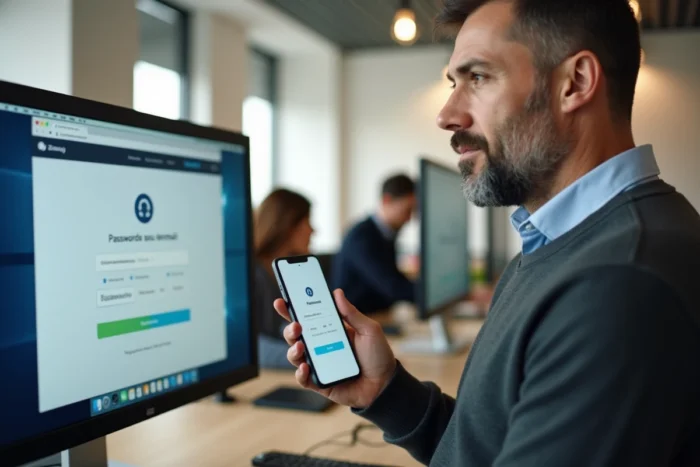
The portal moncompte.ac-nantes.fr/perdu is the single entry point for any password recovery (expired, forgotten, or account locked after multiple attempts). The procedure relies entirely on a verification mechanism via a backup address.
The trap is here: without a previously provided backup address, no automatic reset is possible. The portal then displays a message inviting users to contact support, which extends the unlocking time by several business days, especially during peak times (inter-academic movement, back-to-school).
Check and Configure the Backup Address
We observe that the majority of agents never provide this backup address as long as their account is functioning. Configuration is done from the portal moncompte.ac-nantes.fr, under the “personal information” section. It requires an address outside the domain ac-nantes.fr (a personal webmail is suitable).
- Access moncompte.ac-nantes.fr with active academic credentials
- Provide a personal email address in the backup address field
- Validate via the confirmation link sent to this external address
- Keep this address functional and accessible at all times
This operation takes less than two minutes but conditions the ability to unlock independently. As long as it is not done, each password expiration becomes a complete block.
OTP Two-Factor Authentication: A New Cause of Lockout
The academy of Nantes has strengthened access security by offering the activation of a second authentication factor (OTP) via moncompte.ac-nantes.fr. This mechanism generates a temporary code on a mobile application (like FreeOTP, Google Authenticator) to be entered after the password.
Activating the second factor introduces a cause of blocking absent from previous configurations: lost, changed, or reset phone, OTP application inadvertently deleted. In these situations, the password reset portal is no longer sufficient. It is mandatory to contact DSDEN support or the rectorate for an administrator to reset the second factor on the server side.
Technical Precautions for OTP
- Save the backup codes generated during activation (to be stored outside the phone)
- Export the OTP configuration before any phone change
- Do not activate the second factor on a professional device that may be returned
Two-factor authentication remains a good security practice, but activating it without preparation turns a simple phone change into a support request with an unavoidable delay.

Migration to messagerie.education.gouv.fr: What Changes for Unlocking
Since the gradual discontinuation of the academic Webmel service, an increasing number of accounts are linked to the national platform messagerie.education.gouv.fr. This migration alters the unlocking chain. The password, the second factor, and recovery no longer go solely through the local infrastructure of the academy of Nantes.
In practice, a migrated agent attempting to connect via the old Zimbra URL is redirected to the national platform. The credentials remain the same (format [email protected]), but the reset procedure may differ. The portal moncompte.ac-nantes.fr remains functional for the password, but some security options (second factor, session settings) are now managed from the national ENT.
Contacting Support as a Last Resort
When neither the reset portal nor the technical checks are sufficient, the support of the DSDEN of the department or the rectorate of Nantes remains the only recourse. The request must include the NUMEN (agent identifier), the concerned academic address, and a description of the displayed error message. Delays vary depending on the period, but a well-documented request speeds up processing.
The reflex to instill remains preventive: provide the backup address and save the OTP codes before the block. Once the account is locked without these elements, the only option is human support, with the delays that this implies.